Make sure you have Claude CLI installed locally and have your authentication credentials ready
# Check if Claude CLI is installed
claude --version
# If not installed, follow: https://docs.anthropic.com/claude/docs/claude-cliCreate a .env file in your project root with the following configuration
# Claude CLI Configuration (Optional)
CLAUDE_PATH=claude
WORK_DIR=/path/to/your/project
# Anthropic API Configuration (Required)
ANTHROPIC_BASE_URL=http://your-api-url:3000/api
ANTHROPIC_AUTH_TOKEN=your_auth_token_here
# Claude Model Configuration (Optional)
ANTHROPIC_MODEL=claude-sonnet-4-5-20250929
ANTHROPIC_SMALL_FAST_MODEL=claude-sonnet-4-5-20250929
# Server Configuration (Optional)
PORT=4000
HOST=0.0.0.0Install the webcc CLI tool globally using npm and start the web interface
npm i -g @webccc/cli
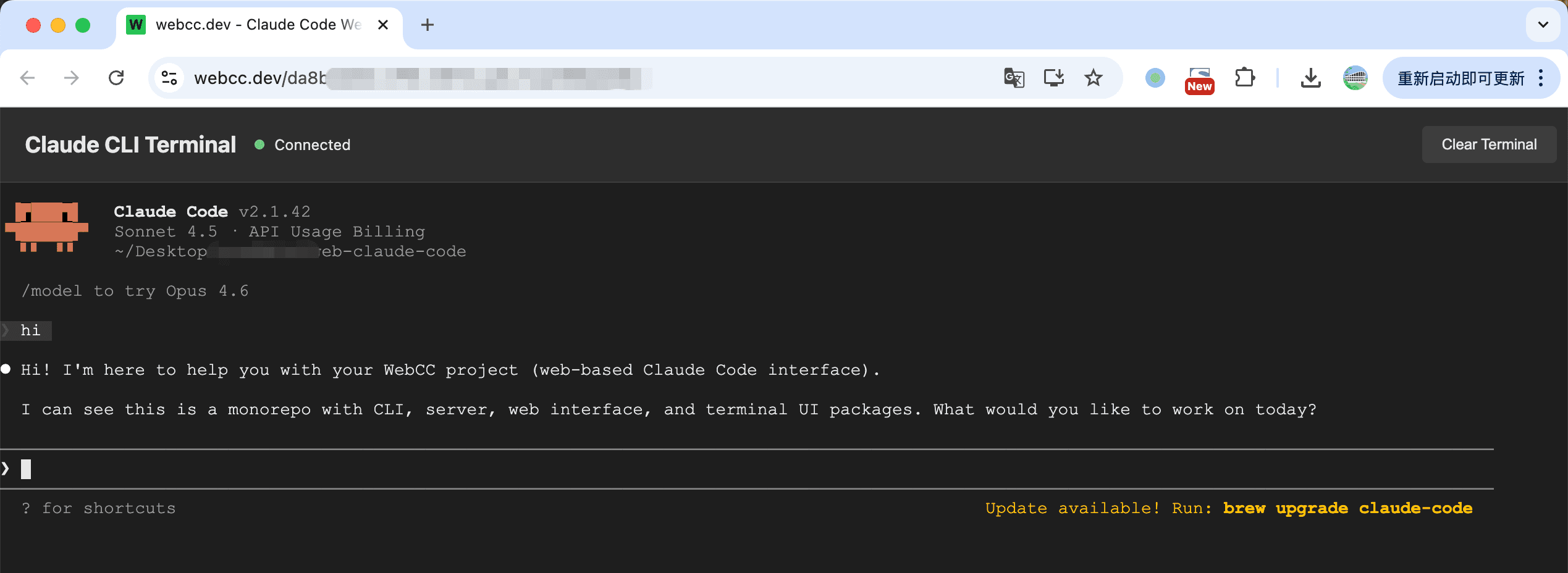
webccOpen your browser and navigate to http://localhost:4000. You can now interact with Claude Code directly in your browser with a powerful web-based terminal interface